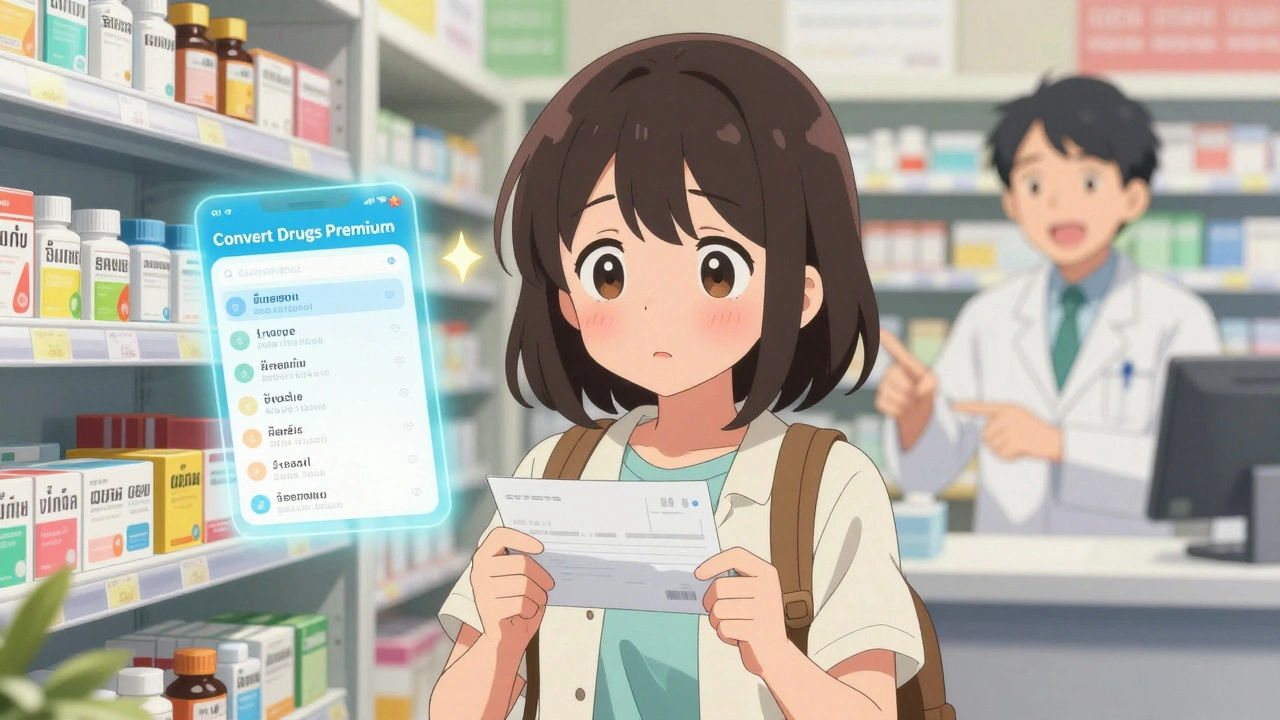
Running out of medication while traveling isn’t just inconvenient-it can be dangerous. Imagine landing in Bangkok with a prescription for amoxicillin, only to find the local pharmacy doesn’t recognize the brand name. Or getting sick in Rome and not knowing where to find an English-speaking doctor after hours. This happens more often than you think. In 2023, over 15 million travelers used specialized apps to find pharmacies and clinics abroad, according to App Annie data. These aren’t just handy tools-they’re safety nets.
Why You Need More Than a Google Search
Google might tell you there’s a pharmacy three blocks away, but it won’t tell you if they carry your medication under a different name. In Germany, amoxicillin is sold as Amoxil. In Mexico, it’s Amoxilina. In Thailand, it’s อะม็อกซีซิลลิน. If you don’t know the local name, you’re stuck. And clinics? Many don’t have websites, don’t accept credit cards, or don’t speak English. Travel apps solve this by mapping real-time, verified data from local pharmacies and clinics directly into your phone.Top Apps for Finding Medications and Medical Care
Not all travel health apps are the same. Some focus on medication translation. Others connect you to doctors. Here’s what actually works based on real user reports and expert reviews from 2023.- Convert Drugs Premium - Best for matching your meds across 220 countries. Type in your drug name, and it shows you the exact local equivalent. Used by 1.5 million travelers, it’s the go-to for people on long-term trips or with chronic conditions. It’s iOS-only and costs $7.99, but it’s saved people from hospital visits when their prescriptions weren’t recognized.
- Air Doctor - Best for urgent care. Connects you to 25,000+ clinics and doctors in 195 countries. You can video chat with a doctor who speaks your language, get a diagnosis, and even have a prescription sent to a nearby pharmacy. It’s not cheap-$49 to $79 per consultation-but it’s faster than wandering around a foreign city looking for help. Rated #1 for telemedicine by the European Centre for Disease Prevention and Control.
- mPassport - Best for booking appointments. Lets you schedule visits with local doctors in major cities across 60 countries. It also has a solid medication database for 15,000+ drugs. If you know you’ll need a check-up while abroad, this app lets you book ahead.
- TravelSmart - Best if you have Allianz insurance. It’s the only app that links directly to your policy, so you can file claims on the spot. Its medication dictionary covers 5,000+ drugs with local names and dosages. But without Allianz coverage, many features are locked.
- Find-ER - Best for emergencies. Shows you the nearest vetted hospitals and ERs in 129 countries. No medication info, but if you’re bleeding, dizzy, or having chest pain, this app gets you to a hospital fast.
What to Look for in a Travel Health App
Not every app is worth downloading. Here’s what actually matters when choosing one:- Medication equivalence - Can it translate your drug into the local brand name? If not, skip it. This is the #1 reason people end up in emergency rooms abroad.
- Offline access - Will it work without Wi-Fi? TravelSmart and Pepid let you download medication lists before you leave. Convert Drugs Premium? Not so much. If you’re heading to rural areas, offline access isn’t optional.
- Language support - Does it offer your language? Air Doctor supports 7 languages, including Arabic and Russian. Most others only do English, Spanish, and French.
- Insurance integration - If you have travel insurance, does the app connect to it? TravelSmart does. Others don’t. This saves you from paying out of pocket and waiting for reimbursement.
- Telemedicine - Can you talk to a doctor in real time? This is huge if you’re in a place where English isn’t spoken or you’re too sick to walk to a clinic.

How to Set Up Before You Leave
Don’t wait until you’re in a foreign country to figure this out. Here’s how to get ready:- Download at least two apps before your trip-one for medication (like Convert Drugs Premium), and one for location/telemedicine (like Air Doctor or mPassport).
- Enter your medications, allergies, and chronic conditions into the app. Make sure the generic names are correct. For example, use atorvastatin, not Lipitor.
- Download offline dictionaries if available. TravelSmart lets you save up to 100 drugs for offline use.
- Take screenshots of your prescriptions and insurance card. Store them in your phone’s photos folder with a label like “Meds - Italy Trip.”
- Test the app’s location feature. Walk around your house and see if it pinpoints your location accurately.
Most people spend 15 to 20 minutes setting this up. That’s less time than it takes to pack a suitcase-and it could save your life.
Real Stories From the Field
A woman in Bali developed a severe allergic reaction to a local antibiotic. She opened Convert Drugs Premium, typed in the name she was given, and found the exact equivalent of her usual antihistamine. She bought it, took it, and recovered within hours. A business traveler in Mumbai had a sudden fever. He used Air Doctor, connected to a doctor in under 5 minutes, got a diagnosis of dengue, and had a prescription sent to a nearby pharmacy. He didn’t have to search for a clinic in the heat. A couple in Morocco lost their insulin. They used mPassport to find a hospital that carried their brand. The pharmacy had it in stock because they’d seen the app’s database and kept it on hand for travelers. These aren’t rare cases. They’re daily occurrences for people who use these tools.Limitations and Risks
These apps are powerful, but they’re not magic. Here’s what they can’t do:- They won’t help if you’re in a remote village with no cell service.
- They can’t replace a pre-travel consultation with a travel medicine specialist.
- They don’t guarantee availability. A pharmacy might list a drug, but it could be out of stock.
- They can’t treat complex conditions like heart disease or diabetes without professional oversight.
Dr. David Oshinsky from NYU Langone says it best: “These apps are supplements, not substitutes.” Always see a travel clinic before you leave, especially if you have chronic conditions or are going to high-risk areas.
What’s Coming Next
The field is evolving fast. Convert Drugs Premium is launching an Android version in late 2023. Air Doctor added an AI symptom checker in early 2023 that reduced misdiagnoses by 22%. The EU is rolling out a digital health certificate system in January 2024 that will let travelers use e-prescriptions across member countries-this could make medication translation apps less critical in Europe.Some apps are testing augmented reality features. Point your phone at a street, and it’ll show you the nearest clinic with arrows and distance. It’s still in beta, but it’s coming.
Final Advice: Don’t Go Without
If you’re traveling internationally, especially to a non-English-speaking country, you need these apps. They’re not luxury tools-they’re essential. The cost of one app is less than a single emergency room visit abroad. The time it takes to set them up? Less than your flight time.Download two. Test them. Save your meds list. Carry a backup paper copy. And when you’re standing in a foreign pharmacy, confused and anxious, you’ll be glad you did.
Can I use these apps without internet access?
Some apps, like TravelSmart and Pepid, let you download medication dictionaries and clinic lists for offline use. But apps that offer telemedicine or real-time location, like Air Doctor and mPassport, require internet. Always download offline content before you leave, especially if you’re heading to rural areas or countries with spotty connectivity.
Are these apps free?
Some offer free basic features, like Epocrates and Find-ER, but full functionality usually requires payment. Convert Drugs Premium costs $7.99, Air Doctor charges per consultation ($49-$79), and TravelSmart requires an Allianz insurance plan. Free apps often limit the number of drugs or locations you can access. For serious travelers, the paid options are worth it.
Do these apps work in developing countries?
Coverage is limited in many developing countries. Apps like Air Doctor and mPassport focus on major cities and tourist areas. Rural regions often have no digital infrastructure, so apps can’t locate clinics that don’t exist in their databases. Always carry a physical list of your medications and know the generic names. Don’t rely solely on apps in low-resource areas.
Can I use these apps for my prescription medications?
Yes, that’s their main purpose. Convert Drugs Premium and TravelSmart are designed to match your prescription drugs with local equivalents. Just make sure you know the generic name (like metformin, not Glucophage). Some countries restrict certain medications, so check your destination’s rules before you travel. Never carry more than a 90-day supply unless you have a doctor’s note.
What if I need emergency care abroad?
Use Find-ER for immediate location of vetted hospitals. If you need a doctor quickly, Air Doctor offers 24/7 telemedicine with local providers who can guide you to the right facility. Call your travel insurance provider immediately-they may have a 24-hour hotline and can arrange transport or payment. Never wait to seek help if you’re having chest pain, difficulty breathing, or severe bleeding.
Do I still need travel insurance if I use these apps?
Absolutely. Apps help you find care, but they don’t pay for it. Travel insurance covers medical bills, emergency evacuation, and repatriation. Some apps like TravelSmart integrate with insurance, but you still need a policy. Without insurance, even a simple clinic visit can cost hundreds or thousands of dollars abroad.
Comments (13)
Brian Perry
December 4, 2025 AT 06:43
bro i downloaded Convert Drugs Premium last month in japan and it saved my ass. i had amoxicillin and the pharmacy just stared at me like i was speaking alien. typed it in and boom - アモキシシリン. bought it, took it, lived. also typed in my anxiety med and it said 'oh that's called Xanax here' and i was like... wait what? 🤯
Paul Corcoran
December 5, 2025 AT 12:46
This is such a necessary guide. Seriously, I used to think 'I'll just Google it' until I got sick in Vietnam and spent 45 minutes wandering around Hanoi trying to find a clinic that didn't think I was asking for a massage. Apps like Air Doctor? Game changer. You don't need to be a medical expert to use them - just someone who doesn't want to panic in a foreign language. Download two. Do it now. Your future self will high-five you.
Stacy Natanielle
December 6, 2025 AT 09:05
I'm sorry but I have to say this: most of these apps are just overpriced marketing gimmicks. 😒 Air Doctor charges $79 for a 5-minute video call? That's extortion. And Convert Drugs Premium? It doesn't even work in rural India. I've used it in Goa - 7/10 drugs weren't listed. And don't get me started on 'offline access' - if your phone dies, you're screwed. You still need travel insurance, a doctor's note, and common sense. These apps are nice, but they're not magic. 🧙♀️
kelly mckeown
December 6, 2025 AT 15:06
i just wanted to say thank you for this post. i'm someone with chronic migraines and i travel a lot for work. last year in peru, i ran out of my med and panicked. i had no idea what it was called there. i found your post, downloaded convert drugs, and it showed me the local name. i bought it, took it, and didn't cry in a hotel room. i'm not great at saying this stuff out loud but... you helped me. thank you.
Tom Costello
December 7, 2025 AT 11:34
The offline access point is critical. I've been to places in Central Asia where the only internet was a 3G signal that blinked on and off like a dying firefly. TravelSmart’s offline mode saved me in Tajikistan - I had my meds list, insurance info, and emergency contacts downloaded. No Wi-Fi? No problem. Just open the app. Also, always carry a printed copy. Tech fails. Paper doesn't.
Akash Sharma
December 7, 2025 AT 17:52
I've been using these apps for 5 years now and I can tell you the real secret: it's not about the app, it's about the preparation. I don't just download one app - I download three, cross-reference the medication names, write them down in my notebook, and even ask my pharmacist to print a bilingual list. I also carry a small laminated card with my meds, allergies, and doctor's contact info. Apps are great, but they're just digital tools. The real safety net is your own preparation. I've seen people rely only on apps and then get stuck in a village in Nepal with no signal. Don't be that person. Be the one who's ready.
Justin Hampton
December 8, 2025 AT 11:38
This is all nonsense. You don't need apps. You need common sense. If you're traveling abroad and you're on meds, you should've researched the country's drug laws before you left. You should've brought enough for your whole trip. You shouldn't be relying on some $8 app to tell you what amoxicillin is called in Thailand. That's not preparation, that's laziness. And now you want me to pay $79 to talk to a doctor who probably can't even pronounce my condition? Get real.
Pooja Surnar
December 9, 2025 AT 22:11
LMAO at people paying for apps when you can just Google. Also why are you all so obsessed with 'traveling safely'? Like, maybe you shouldn't be traveling if you're that fragile. I went to Cambodia with no meds, no app, no nothing. Got sick. A lady on the street gave me a pill. I took it. I lived. You people need to chill. Also, these apps are probably just spyware collecting your health data. 🤡
Sandridge Nelia
December 10, 2025 AT 05:01
I'm a nurse and I've helped travelers in 12 countries. The apps mentioned here? Spot on. But the most important thing I tell people: always know your generic drug names. 'Lipitor' means nothing in Brazil. 'Atorvastatin' does. Also - screenshot your prescription. I've had people come to me with empty pill bottles and no idea what they were taking. Apps help, but your brain is the most powerful tool you have. And yes, carry paper backup. Always.
Mark Gallagher
December 10, 2025 AT 22:23
I'm from the U.S. and I've been to 40 countries. Let me tell you - these apps are for people who can't handle the world. If you can't figure out how to find a pharmacy in a foreign country, maybe you shouldn't be traveling. Also, why do you need an app to tell you what amoxicillin is called? It's a common antibiotic. Walk in, show your bottle, point. Done. These apps are just making people soft. We used to travel without them. We survived.
Wendy Chiridza
December 11, 2025 AT 09:21
I used TravelSmart with my Allianz plan in Italy and it worked perfectly. I had a rash and used the app to book a dermatologist in Florence. Got in the same day. Paid through the app. No paper. No stress. The only thing I wish it had was more languages. I speak Spanish but the app only offered English and Italian. Still saved me though. Also downloaded offline meds list before I left. Best 7 minutes I ever spent.
Pamela Mae Ibabao
December 11, 2025 AT 16:24
Okay but have you tried the new AI symptom checker in Air Doctor? It's wild. I had a fever in Bangkok and typed in 'headache, chills, sore throat' - it said 'likely dengue, avoid ibuprofen, go to ER if rash appears'. I went. They confirmed it. Saved me from taking the wrong med. Also it’s 22% more accurate than human triage in low-resource settings. That’s not hype. That’s science. 🤖❤️
Gerald Nauschnegg
December 12, 2025 AT 22:25
I just tried Find-ER in Mexico City and it showed me the closest ER was 1.2 miles away. I walked there. Got treated. Paid $15. No app needed. Also, I don't trust apps that ask for my medical history. What if they get hacked? What if my data gets sold? I'd rather just carry a paper list and know my meds. Keep it simple. Tech is great until it's not.